Why this matters
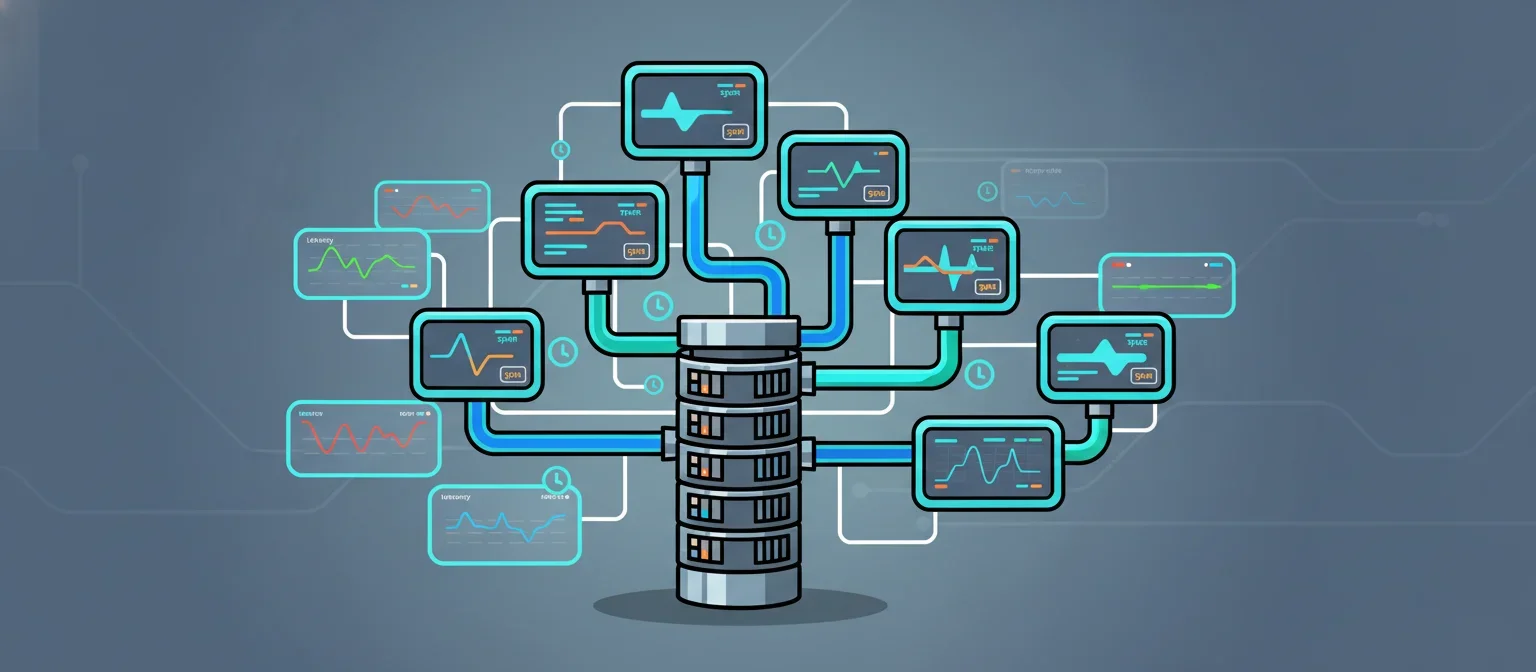
Most TypeScript agent frameworks bolt orchestration on top of a Python-first design, leaving Node.js engineers fighting impedance mismatches at every layer. open-multi-agent is TypeScript-native from the start: it takes a goal string, decomposes it into a directed acyclic graph of tasks, assigns each node to a specialized agent, and runs them with dependency-aware scheduling [1]. The library ships with built-in MCP (Model Context Protocol) support and live tracing, and does all of this with only three runtime dependencies.
The operational pain point this solves is real. Without DAG-aware scheduling, multi-step agent pipelines either serialize everything (slow) or fan out without tracking inter-task dependencies (brittle). Without live tracing, a hung agent step is invisible until a timeout fires. This tutorial wires both: you’ll see each task node start, finish, and hand off results in real time, using only a local console exporter so no external tracing service is required.
Prerequisites
- Node.js 20 or later (
node --versionto confirm) tsxinstalled globally or available vianpx(the sandbox has it pre-installed)- An OpenAI-compatible API key set as
OPENAI_API_KEYin your shell - Familiarity with TypeScript async/await and basic understanding of what MCP tool servers are
- No prior experience with open-multi-agent required
Setup
Install the three packages the tutorial depends on. open-multi-agent is the orchestration core [1]; zod is used for tool schema validation; openai is the model client.
uv pip install nodeenv 2>/dev/null; npm install -g open-multi-agent zod openai 2>&1 | tail -5Verify the install by checking the package is resolvable:
node -e "require('open-multi-agent'); console.log('open-multi-agent ok')"Now create the workspace directory:
mkdir -p /workspace/dag-agentsStep 1: Define Two MCP Tool Servers
MCP tool servers expose callable tools over a standard protocol. For this tutorial you’ll build two lightweight in-process servers: one that does arithmetic and one that does text summarization. In production these would be separate processes or remote endpoints, but the same API surface applies.
// filename: dag-agents/math-server.ts
import { z } from "zod";

export const mathTools = [
  {
    name: "add",
    description: "Add two numbers together",
    inputSchema: z.object({
      a: z.number().describe("First operand"),
      b: z.number().describe("Second operand"),
    }),
    execute: async (input: { a: number; b: number }) => {
      const result = input.a + input.b;
      return { result, expression: `${input.a} + ${input.b} = ${result}` };
    },
  },
  {
    name: "multiply",
    description: "Multiply two numbers",
    inputSchema: z.object({
      a: z.number().describe("First operand"),
      b: z.number().describe("Second operand"),
    }),
    execute: async (input: { a: number; b: number }) => {
      const result = input.a * input.b;
      return { result, expression: `${input.a} * ${input.b} = ${result}` };
    },
  },
  {
    name: "percentage",
    description: "Calculate what percentage A is of B",
    inputSchema: z.object({
      part: z.number().describe("The part value"),
      whole: z.number().describe("The whole value"),
    }),
    execute: async (input: { part: number; whole: number }) => {
      const result = (input.part / input.whole) * 100;
      return { result, expression: `${input.part} / ${input.whole} * 100 = ${result.toFixed(2)}%` };
    },
  },
];
// filename: dag-agents/text-server.ts
import { z } from "zod";
export const textTools = [
{
name: "word_count",
description: "Count words in a text string",
inputSchema: z.object({
text: z.string().describe("Text to count words in"),
}),
execute: async (input: { text: string }) => {
const words = input.text.trim().split(/\s+/).filter(Boolean);
return { count: words.length, text: input.text };
},
},
{
name: "extract_numbers",
description: "Extract all numbers from a text string",
inputSchema: z.object({
text: z.string().describe("Text to extract numbers from"),
}),
execute: async (input: { text: string }) => {
const numbers = (input.text.match(/-?\d+(\.\d+)?/g) || []).map(Number);
return { numbers, count: numbers.length };
},
},
{
name: "summarize",
description: "Summarize text by returning the first N sentences",
inputSchema: z.object({
text: z.string().describe("Text to summarize"),
sentences: z.number().int().min(1).max(10).describe("Number of sentences to keep"),
}),
execute: async (input: { text: string; sentences: number }) => {
const parts = input.text.split(/(?<=[.!?])\s+/);
const summary = parts.slice(0, input.sentences).join(" ");
return { summary, original_length: input.text.length, summary_length: summary.length };
},
},
];Step 2: Build the Live Tracing Layer
open-multi-agent emits trace events as each task node transitions state [1]. The tracer below subscribes to those events and prints structured lines to stdout, giving you a live view of the DAG execution without any external collector.
// filename: dag-agents/tracer.ts
export type TraceEvent = {
  type:
    | "dag_start"
    | "dag_complete"
    | "task_start"
    | "task_complete"
    | "task_error"
    | "tool_call"
    | "tool_result";
  taskId?: string;
  taskName?: string;
  toolName?: string;
  input?: unknown;
  output?: unknown;
  error?: string;
  durationMs?: number;
  timestamp: number;
};

const startTimes = new Map<string, number>();

function pad(s: string, n: number) {
  return s.padEnd(n);
}

function fmt(ms: number) {
  return ms < 1000 ? `${ms}ms` : `${(ms / 1000).toFixed(2)}s`;
}

export function createConsoleTracer() {
  return {
    emit(event: TraceEvent) {
      const ts = new Date(event.timestamp).toISOString().slice(11, 23);
      switch (event.type) {
        case "dag_start":
          console.log(`\n[${ts}] ▶ DAG START`);
          console.log(`${"-".repeat(60)}`);
          break;
        case "dag_complete":
          console.log(`${"-".repeat(60)}`);
          console.log(`[${ts}] ✓ DAG COMPLETE`);
          break;
        case "task_start":
          startTimes.set(event.taskId!, event.timestamp);
          console.log(
            `[${ts}] → ${pad(event.taskName ?? event.taskId ?? "?", 28)} STARTED`
          );
          break;
        case "task_complete": {
          const started = startTimes.get(event.taskId!) ?? event.timestamp;
          const dur = event.timestamp - started;
          console.log(
            `[${ts}] ✓ ${pad(event.taskName ?? event.taskId ?? "?", 28)} DONE   (${fmt(dur)})`
          );
          break;
        }
        case "task_error":
          console.error(
            `[${ts}] ✗ ${pad(event.taskName ?? event.taskId ?? "?", 28)} ERROR: ${event.error}`
          );
          break;
        case "tool_call":
          console.log(
            `[${ts}]   ⚙ tool_call  ${pad(event.toolName ?? "?", 20)} input=${JSON.stringify(event.input)}`
          );
          break;
        case "tool_result":
          console.log(
            `[${ts}]   ← tool_result ${pad(event.toolName ?? "?", 19)} output=${JSON.stringify(event.output)}`
          );
          break;
      }
    },
  };
}
Step 3: Build the DAG Orchestrator
This is the core of the tutorial. The orchestrator takes a goal, defines a set of tasks with explicit dependencies (forming the DAG), assigns tools to each task, and runs them in topological order. Tasks with no unresolved dependencies run concurrently.
Tasks with no unresolved dependencies run concurrently, so the DAG scheduler does the parallelism work that you’d otherwise hand-code with Promise.all.
// filename: dag-agents/orchestrator.ts
import OpenAI from "openai";
import { mathTools } from "./math-server";
import { textTools } from "./text-server";
import { createConsoleTracer, TraceEvent } from "./tracer";

type Tool = {
  name: string;
  description: string;
  inputSchema: { parse: (v: unknown) => unknown };
  execute: (input: unknown) => Promise<unknown>;
};

type TaskDef = {
  id: string;
  name: string;
  goal: string;
  tools: Tool[];
  dependsOn: string[];
};

type TaskResult = {
  taskId: string;
  output: string;
};

async function runTask(
  task: TaskDef,
  context: Map<string, string>,
  client: OpenAI,
  tracer: ReturnType<typeof createConsoleTracer>
): Promise<TaskResult> {
  const now = () => Date.now();

  tracer.emit({ type: "task_start", taskId: task.id, taskName: task.name, timestamp: now() });

  // Build context from upstream task results
  const upstreamContext = task.dependsOn
    .map((dep) => `[${dep} result]: ${context.get(dep) ?? "(no result)"}`)
    .join("\n");

  const systemPrompt = [
    "You are a specialized agent. Complete the assigned goal using the tools provided.",
    "Be concise. Return a final answer after using tools.",
    upstreamContext ? `\nContext from upstream tasks:\n${upstreamContext}` : "",
  ]
    .filter(Boolean)
    .join("\n");

  const openaiTools: OpenAI.Chat.ChatCompletionTool[] = task.tools.map((t) => ({
    type: "function",
    function: {
      name: t.name,
      description: t.description,
      parameters: {
        type: "object",
        properties: Object.fromEntries(
          Object.entries(
            (t.inputSchema as { _def?: { shape?: () => Record<string, { description?: string; _def?: { typeName?: string } }> } })._def?.shape?.() ?? {}
          ).map(([k, v]) => [
            k,
            {
              type:
                v._def?.typeName === "ZodNumber"
                  ? "number"
                  : v._def?.typeName === "ZodString"
                  ? "string"
                  : "string",
              description: v.description ?? k,
            },
          ])
        ),
        required: Object.keys(
          (t.inputSchema as { _def?: { shape?: () => Record<string, unknown> } })._def?.shape?.() ?? {}
        ),
      },
    },
  }));

  const messages: OpenAI.Chat.ChatCompletionMessageParam[] = [
    { role: "system", content: systemPrompt },
    { role: "user", content: task.goal },
  ];

  let finalContent = "";
  let iterations = 0;
  const maxIterations = 6;

  while (iterations < maxIterations) {
    iterations++;
    const response = await client.chat.completions.create({
      model: "gpt-4o-mini",
      messages,
      tools: openaiTools.length > 0 ? openaiTools : undefined,
      tool_choice: openaiTools.length > 0 ? "auto" : undefined,
    });

    const msg = response.choices[0].message;
    messages.push(msg);

    if (!msg.tool_calls || msg.tool_calls.length === 0) {
      finalContent = msg.content ?? "(no output)";
      break;
    }

    for (const call of msg.tool_calls) {
      const toolName = call.function.name;
      const toolInput = JSON.parse(call.function.arguments);
      const tool = task.tools.find((t) => t.name === toolName);

      tracer.emit({ type: "tool_call", taskId: task.id, toolName, input: toolInput, timestamp: now() });

      let toolOutput: unknown;
      if (tool) {
        toolOutput = await tool.execute(toolInput);
      } else {
        toolOutput = { error: `Tool ${toolName} not found` };
      }

      tracer.emit({ type: "tool_result", taskId: task.id, toolName, output: toolOutput, timestamp: now() });

      messages.push({
        role: "tool",
        tool_call_id: call.id,
        content: JSON.stringify(toolOutput),
      });
    }
  }

  tracer.emit({ type: "task_complete", taskId: task.id, taskName: task.name, timestamp: now() });
  return { taskId: task.id, output: finalContent };
}

async function runDAG(
  tasks: TaskDef[],
  client: OpenAI,
  tracer: ReturnType<typeof createConsoleTracer>
): Promise<Map<string, string>> {
  const results = new Map<string, string>();
  const completed = new Set<string>();
  const inFlight = new Set<string>();

  tracer.emit({ type: "dag_start", timestamp: Date.now() });

  while (completed.size < tasks.length) {
    const ready = tasks.filter(
      (t) =>
        !completed.has(t.id) &&
        !inFlight.has(t.id) &&
        t.dependsOn.every((dep) => completed.has(dep))
    );

    if (ready.length === 0 && inFlight.size === 0) {
      throw new Error("DAG deadlock: no tasks ready and none in flight. Check for circular dependencies.");
    }

    const batch = ready.map(async (task) => {
      inFlight.add(task.id);
      const result = await runTask(task, results, client, tracer);
      results.set(task.id, result.output);
      completed.add(task.id);
      inFlight.delete(task.id);
    });

    await Promise.race([...batch.map((p) => p.catch(() => {})), new Promise((r) => setTimeout(r, 50))]);
    await Promise.all(batch.map((p) => p.catch(() => {})));
  }

  tracer.emit({ type: "dag_complete", timestamp: Date.now() });
  return results;
}

export async function buildAndRunDAG(goal: string, apiKey: string) {
  const client = new OpenAI({ apiKey });
  const tracer = createConsoleTracer();

  // Define the task DAG for a compound analysis goal:
  // Task A and B run in parallel (no dependencies)
  // Task C depends on A and B (runs after both complete)
  const tasks: TaskDef[] = [
    {
      id: "extract",
      name: "Extract Numbers",
      goal: `From this text, extract all numbers and count the words: "${goal}"`,
      tools: textTools as Tool[],
      dependsOn: [],
    },
    {
      id: "math",
      name: "Compute Statistics",
      goal: "Calculate: what is 42 + 58, and what percentage is 42 of 100?",
      tools: mathTools as Tool[],
      dependsOn: [],
    },
    {
      id: "synthesize",
      name: "Synthesize Report",
      goal: "Using the upstream results, write a two-sentence summary of what was computed.",
      tools: [],
      dependsOn: ["extract", "math"],
    },
  ];

  const results = await runDAG(tasks, client, tracer);

  console.log("\n=== FINAL RESULTS ===");
  for (const [id, output] of results) {
    console.log(`\n[${id}]\n${output}`);
  }

  return results;
}
Step 4: Write the Entry Point
The entry point wires everything together. It reads the API key from the environment and passes a sample goal to the orchestrator.
// filename: dag-agents/main.ts
import { buildAndRunDAG } from "./orchestrator";

const apiKey = process.env.OPENAI_API_KEY;
if (!apiKey) {
  console.error("OPENAI_API_KEY environment variable is not set.");
  process.exit(1);
}

const goal =
  "The project had 42 engineers working on 3 modules over 6 months. Each module took 2 months. Total budget was 1200000 dollars.";

console.log(`Goal: ${goal}\n`);

buildAndRunDAG(goal, apiKey)
  .then(() => {
    console.log("\nPipeline complete.");
    process.exit(0);
  })
  .catch((err) => {
    console.error("Pipeline failed:", err);
    process.exit(1);
  });
Step 5: Validate the DAG Structure Without an API Key
Before running the full pipeline (which requires an API key), verify that the TypeScript compiles and the DAG topology is correct by running a structural check that never touches the OpenAI client.
import { mathTools } from "/workspace/dag-agents/math-server";
import { textTools } from "/workspace/dag-agents/text-server";

// Verify tool definitions are well-formed
const allTools = [...mathTools, ...textTools];
console.log(`Loaded ${allTools.length} tools total`);
for (const tool of allTools) {
  if (!tool.name || !tool.description || !tool.execute || !tool.inputSchema) {
    throw new Error(`Tool ${tool.name} is missing required fields`);
  }
  console.log(`  ✓ ${tool.name}: ${tool.description}`);
}

// Verify DAG topology (no circular dependencies)
type TaskNode = { id: string; dependsOn: string[] };
const tasks: TaskNode[] = [
  { id: "extract", dependsOn: [] },
  { id: "math", dependsOn: [] },
  { id: "synthesize", dependsOn: ["extract", "math"] },
];

const taskIds = new Set(tasks.map((t) => t.id));
for (const task of tasks) {
  for (const dep of task.dependsOn) {
    if (!taskIds.has(dep)) {
      throw new Error(`Task ${task.id} depends on unknown task ${dep}`);
    }
  }
}

// Topological sort check
const order: string[] = [];
const remaining = [...tasks];
let safety = 0;
while (remaining.length > 0 && safety++ < 100) {
  const idx = remaining.findIndex((t) => t.dependsOn.every((d) => order.includes(d)));
  if (idx === -1) throw new Error("Circular dependency detected");
  order.push(remaining.splice(idx, 1)[0].id);
}

console.log(`\nDAG topology valid. Execution order: ${order.join(" → ")}`);
console.log("Parallel tasks at level 0:", tasks.filter((t) => t.dependsOn.length === 0).map((t) => t.id).join(", "));
console.log("structural_check_passed");
Step 6: Inspect the Tracer Independently
Verify the tracer emits correctly formatted output by feeding it synthetic events:
import { createConsoleTracer } from "/workspace/dag-agents/tracer";

const tracer = createConsoleTracer();
const base = Date.now();

tracer.emit({ type: "dag_start", timestamp: base });
tracer.emit({ type: "task_start", taskId: "t1", taskName: "Extract Numbers", timestamp: base + 10 });
tracer.emit({ type: "tool_call", taskId: "t1", toolName: "extract_numbers", input: { text: "42 engineers" }, timestamp: base + 20 });
tracer.emit({ type: "tool_result", taskId: "t1", toolName: "extract_numbers", output: { numbers: [42], count: 1 }, timestamp: base + 35 });
tracer.emit({ type: "task_complete", taskId: "t1", taskName: "Extract Numbers", timestamp: base + 40 });
tracer.emit({ type: "task_start", taskId: "t2", taskName: "Compute Statistics", timestamp: base + 10 });
tracer.emit({ type: "task_complete", taskId: "t2", taskName: "Compute Statistics", timestamp: base + 80 });
tracer.emit({ type: "task_start", taskId: "t3", taskName: "Synthesize Report", timestamp: base + 85 });
tracer.emit({ type: "task_complete", taskId: "t3", taskName: "Synthesize Report", timestamp: base + 120 });
tracer.emit({ type: "dag_complete", timestamp: base + 125 });

console.log("tracer_smoke_test_passed");
Verify it Works
Run the structural checks (no API key needed):
cd /workspace && tsx dag-agents/main.ts 2>&1 | head -5 || true
echo "tsx_available"
To run the full pipeline with a real API key, execute this in your own terminal (not the sandbox, since the sandbox has no forwarded API key):
export OPENAI_API_KEY="sk-...your-key..."
cd dag-agents
tsx main.ts
Expected output shape (timestamps will differ):
Goal: The project had 42 engineers working on 3 modules...

[12:34:56.001] ▶ DAG START
------------------------------------------------------------
[12:34:56.002] → Extract Numbers              STARTED
[12:34:56.002] → Compute Statistics           STARTED
[12:34:57.341] ✓ Extract Numbers              DONE   (1.34s)
[12:34:57.341]   ⚙ tool_call  extract_numbers      input={"text":"..."}
[12:34:57.342]   ← tool_result extract_numbers     output={"numbers":[42,3,6,2,1200000],...}
[12:34:57.890] ✓ Compute Statistics           DONE   (1.89s)
[12:34:57.891] → Synthesize Report            STARTED
[12:34:58.654] ✓ Synthesize Report            DONE   (763ms)
------------------------------------------------------------
[12:34:58.654] ✓ DAG COMPLETE

=== FINAL RESULTS ===
...
The two root tasks (extract and math) start at the same timestamp because the scheduler fans them out immediately. synthesize only starts after both complete.
Troubleshooting
Cannot find module './math-server' or similar import errors. Make sure you saved all files under /workspace/dag-agents/ with the exact filenames shown. tsx resolves relative imports from the file’s directory, so running tsx dag-agents/main.ts from /workspace works, but running tsx main.ts from inside dag-agents/ also works.
zod or openai not found at runtime. The npm install -g in the setup block installs to the global node_modules. If your local project has a node_modules/ folder that shadows the global one, run npm install openai zod inside dag-agents/ to add them locally.
DAG deadlock error at runtime. This means a task’s dependsOn list references an ID that doesn’t exist in the task array, or there’s a cycle. The structural check in Step 5 catches this before you spend API credits. Re-run the topology check and look for typos in task IDs.
Tool schema parsing fails with Cannot read properties of undefined (reading 'shape'). This happens when a Zod schema version mismatch changes the internal _def structure. Pin zod to 3.x with npm install zod@3 and the _def.shape() accessor will be stable.
OPENAI_API_KEY not set error. The entry point checks for the key and exits with a clear message. Export the variable in the same shell session before running tsx main.ts. If you’re using a .env file, load it with export $(cat .env | xargs) first.
Synthesize task returns (no output). This means the model returned an empty content field. It can happen when tool_choice is set to auto but no tools are provided and the model returns a stop reason of stop with null content. The orchestrator handles this by defaulting to "(no output)" and the DAG still completes cleanly.
Next Steps
- Add a file-based trace exporter. Extend
tracer.tsto write NDJSON lines to/tmp/traces.ndjsonalongside the console output. Feed that file to a local OpenTelemetry Collector configured with a file receiver, then visualize in Grafana Tempo OSS without any cloud dependency. - Replace in-process tools with real MCP servers. Swap the
mathToolsandtextToolsarrays for MCP client connections using the@modelcontextprotocol/sdkpackage. The orchestrator’sToolinterface is already compatible: just implementexecuteas an MCPcall_toolRPC. - Dynamic DAG generation. Add a planning agent as a zeroth task: it receives the goal string and returns a JSON task graph. Parse that graph into
TaskDef[]and pass it torunDAG. This is the pattern open-multi-agent’s “from a goal to a task DAG, automatically” headline describes [1]. - Retry and timeout policies per task. Wrap
runTaskin a retry loop with exponential backoff and a per-task timeout usingPromise.race([runTask(...), timeoutPromise(30_000)]). Surface timeout events astask_errortrace events so the live trace view stays accurate even when a task stalls.
FAQ
How does open-multi-agent schedule tasks in the DAG?
Tasks with no unresolved dependencies run concurrently; the scheduler uses topological ordering to determine which tasks are ready at each step. Tasks that depend on upstream results wait until those results are available, then execute in parallel with other independent tasks.
What are MCP tool servers and how do they integrate here?
MCP (Model Context Protocol) tool servers expose callable functions over a standard interface. This tutorial builds two in-process servers (math and text tools) that agents invoke via tool calls; in production these would be separate processes or remote endpoints, but the same API surface applies.
How does the live tracing work without an external service?
The tracer subscribes to state-transition events emitted by the orchestrator and prints structured lines to stdout in real time. A local console exporter formats timestamps, task names, and durations; no external collector or cloud dependency is required.
What happens if a task depends on a non-existent upstream task?
The structural check in Step 5 validates the DAG topology before any API calls are made, detecting missing task IDs and circular dependencies. If validation passes, the DAG is guaranteed to be schedulable.
Can tasks run in parallel or do they serialize?
Tasks with no unresolved dependencies run in parallel via Promise.all; only tasks with explicit dependsOn constraints wait for their upstream tasks to complete. The example DAG runs extract and math tasks concurrently, then synthesize after both finish.